Hi @Everyone,
Telegram Integration for Algo Trading
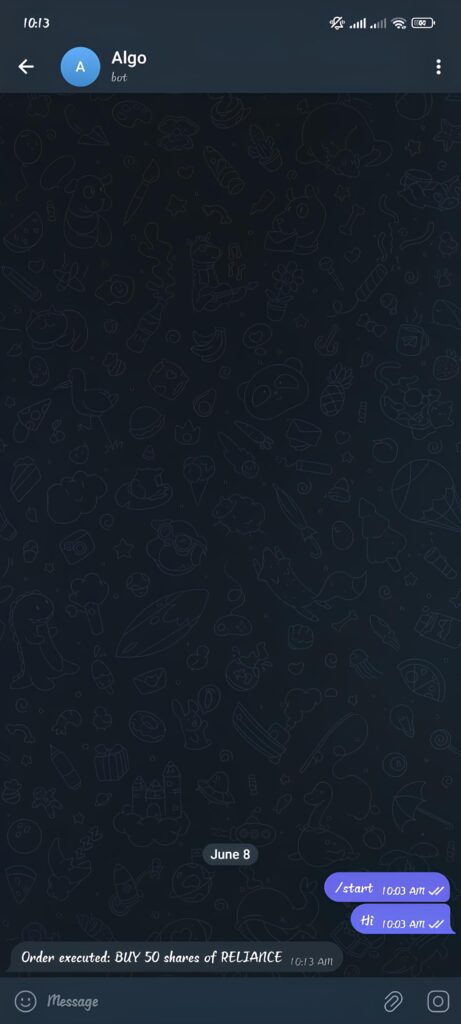
Telegram integration allows your algo trading application to send real-time notifications directly to your Telegram account. This can be used to receive trade entries, exits, order status updates, target and stop-loss alerts, error notifications, and other important trading events instantly.
Follow the below steps to create a Telegram Bot and obtain the required credentials:
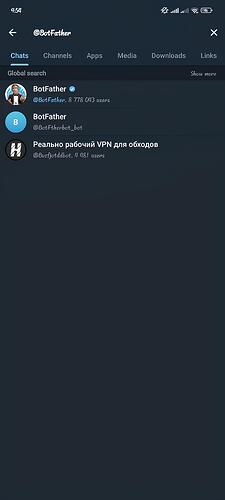
Step 1 : Open Telegram and search for @BotFather.
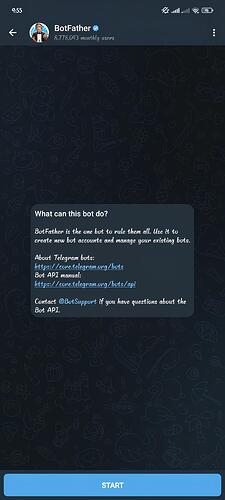
Step 2 : Send the command:
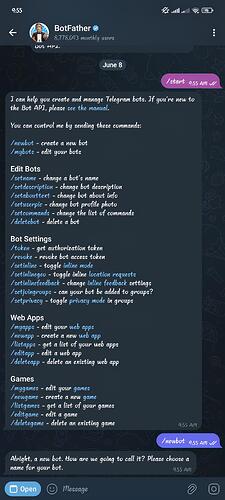
Step 3 : Enter a Bot Name of your choice.
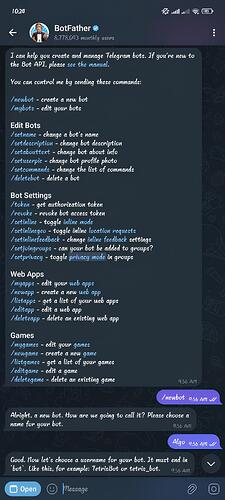
Step 4 : Enter a unique Bot Username ending with bot (e.g., my_trading_bot).
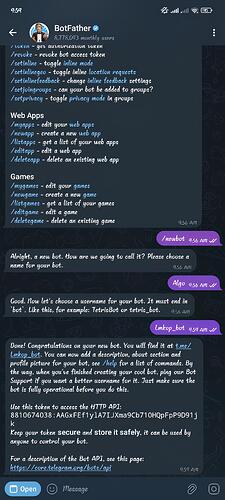
Step 5 : Copy and save the Bot Token provided by BotFather.
Step 6 : Open your newly created bot and click Start or send:
Step 7 : Send a message such as:
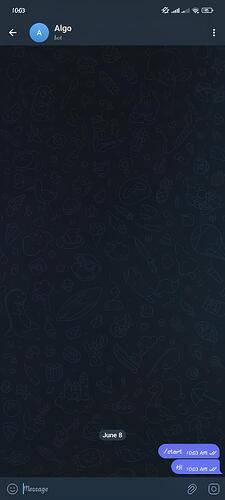
Step 8 : Open the following URL in your browser:
Replace <BOT_TOKEN> with your actual bot token.
The response –

Step 9 : In the response, locate:
Step 10 : Copy the value of id . This is your Chat ID.
Step 11 : These are the credentials to set a Telegram Integration Chat ID and BOT TOKEN.
Step 12 : We have updated the Dhan-Tradehull .
Do run the below commands in cmd terminal-
Refer this below link for codebase –
Dhan-Tradehull
A Dhan Codebase from TradeHull
Step 13: Refer the code for the telegram alert –
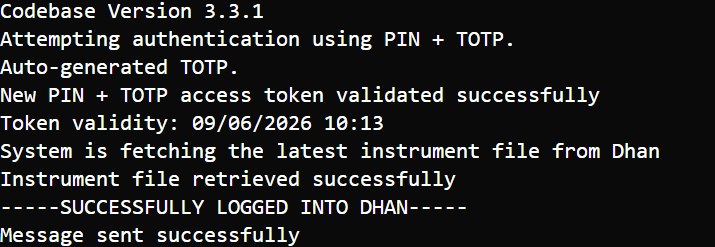
Output –